
As my team nears the launch date for new application features that require secure authentication, we’re in the process of building our own customized components. In the first phases of design, however, full customization was not at the top of the priority list. During that time I needed to ensure that our pages were fully secure, but didn’t want to spend a lot of time with styling. For this purpose, AWS Amplify’s pre-built Auth components were the perfect solution. And they DO offer a good amount of customization options to get you up and running fairly quickly. In this post I’ll walk you through some basic customizations that came in handy for us; hopefully they’ll be helpful for those of your in your app’s development stages as well.
This post assumes you have a basic foundation in React. If you want to set up a basic React application and don’t have much experience, I highly recommend this YouTube tutorial by The Net Ninja on React and Redux. (If you want to build on that and integrate Hooks into the mix, check this out.) You’ll also want to configure your app for Amplify. I may write a post on that in the future (feel free to leave me a comment if that’s something you’d like to see).
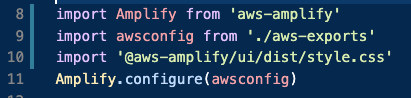
I like to keep my Amplify configuration within index.js after the other usual imports:
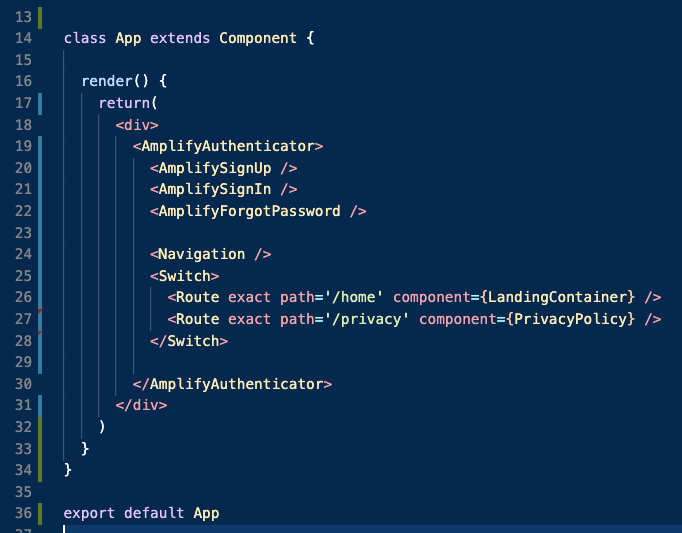
App.js is where I’ll be importing all components needed for authentication:

Since I’m customizing these elements individually, I chose to import AmplifyAuthenticator and the inner components in separately. In this case, you won’t need to import the higher order component, withAuthenticator. AmplifyAuthenticator will wrap the content of your application. All of that is wrapped inside of an outer div.
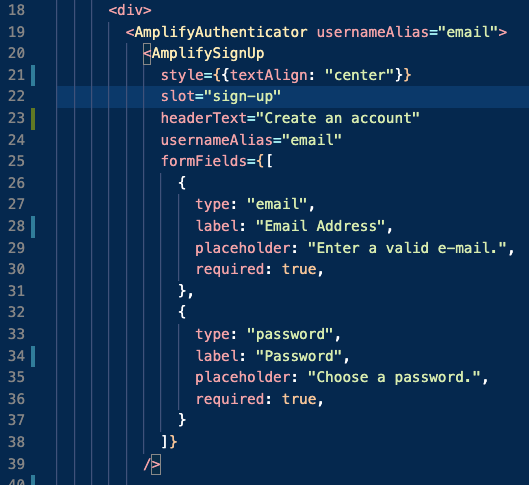
In our case, we wanted to forego the required username and only require an e-mail and password for signup instead. We also wanted to do away with the phone number requirement. Note that in the following images, I’ve included usernameAlias=”email” in each component. Since the default configuration is being overridden, we have to be explicit in our use of e-mail as opposed to username. The customizations for signup looked like this:
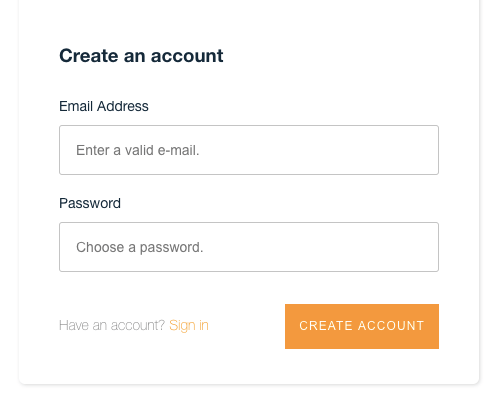
The end result is this:
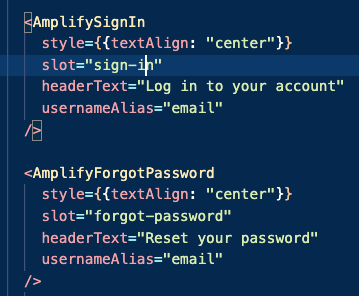
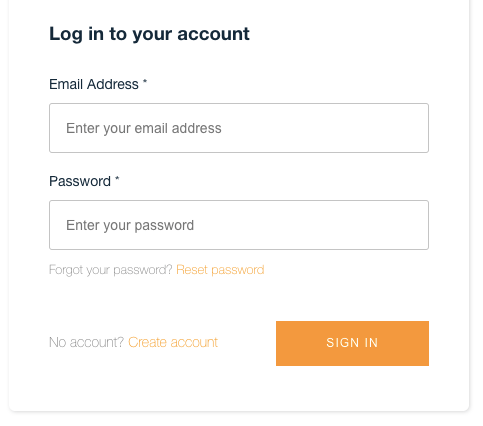
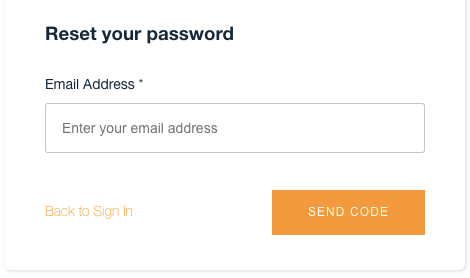
Lastly, the sign in and forgot password components have less customization in our case and were written as follows. Note that these components are explicitly styled to center align the text. This renders the inner components in the center of the page, rather than the top left (default):
And that’s it! I hope this was helpful for you. If you need some clarifications or there are other topics you’d like me to cover (related to React, Ruby, AWS, GraphQL, or anything I’ve written recently), feel free to leave that in the comments or drop me a line at andrea@andreabarr.dev. I’m still relatively new at writing about code, so I’m open to any suggestions or feedback!

